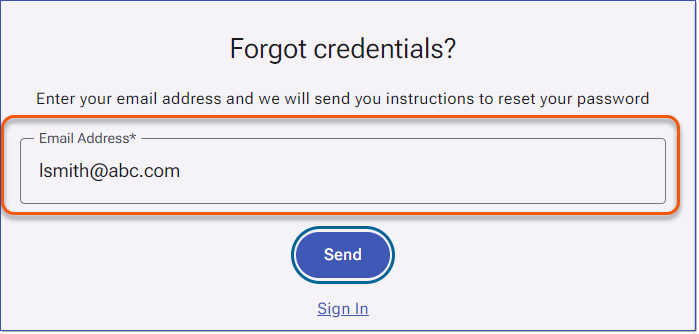
For clients using the Username and Password authentication method, the Forgot credentials link allows Users to recover their login information if they have forgotten it. LMS administrators no longer manage or reset passwords in LMS v4. For clients using hybrid authentication (Username and Password and SSO), the Forgot credentials link is still available; however, it only resets the LMS password, not the SSO password. How to Reset an LMS Password1.Click the Forgot credentials link to open the Forgot credentials page. 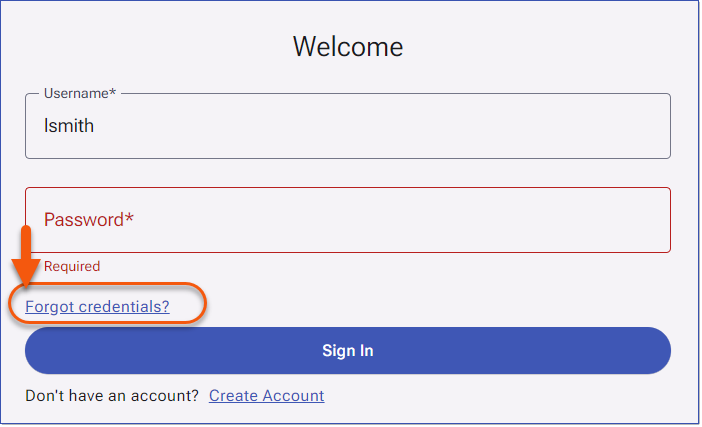 Forgot Credentials 2.Enter your email address and click the Send. If an active user with a matching email address exists in the LMS, the system will send a password reset email using the Account Recovery email template.
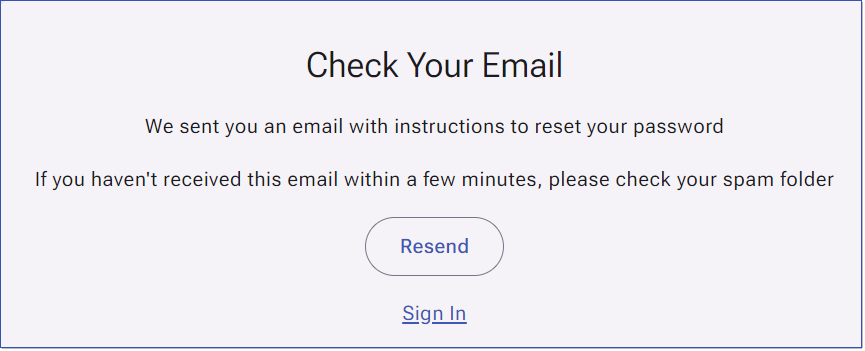
3.The Check Your Email page appears, confirming the email has been sent. If you do not receive the email, click Resend. It is recommended to wait five minutes before resending.
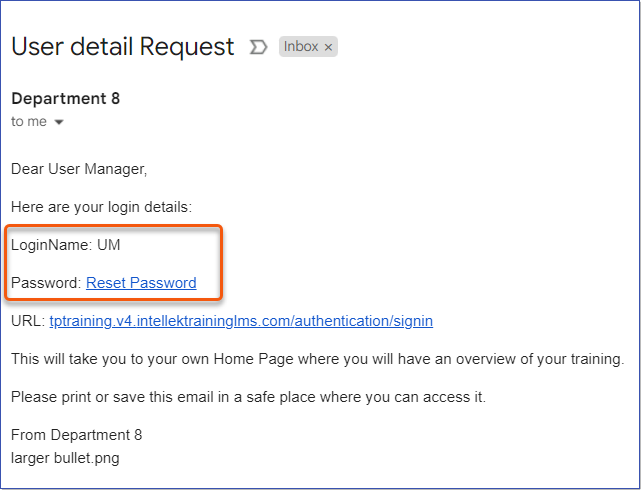
4.Open the email from the LMS. The email includes your LoginName, the LMS URL, and a Reset Password link.
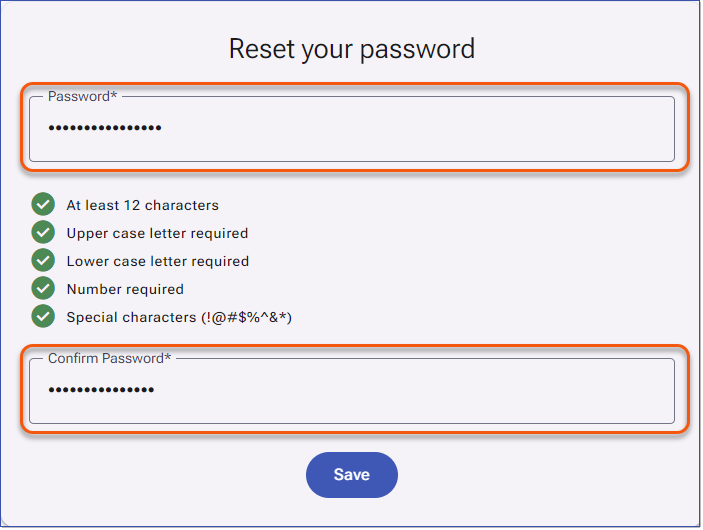
5.Click the Reset Password link to open the password page. 6.Enter a new password in the Password field. Password validation provides real-time feedback as you type, indicating when requirements are met.
7.Re-enter the password in the Confirm Password field. 8.Click Save. You will be returned to the Sign In page. |