Assigning a Teams Admin Role to a User
The Teams Admin role is assigned from the User Details page. Once assigned, the user becomes available in the Meeting Owner dropdown when creating a Teams meeting.
1.Navigate to Users.
2.Select a user to open the User Details page.
3.Select the Teams Admin checkbox.
4.Click Save.
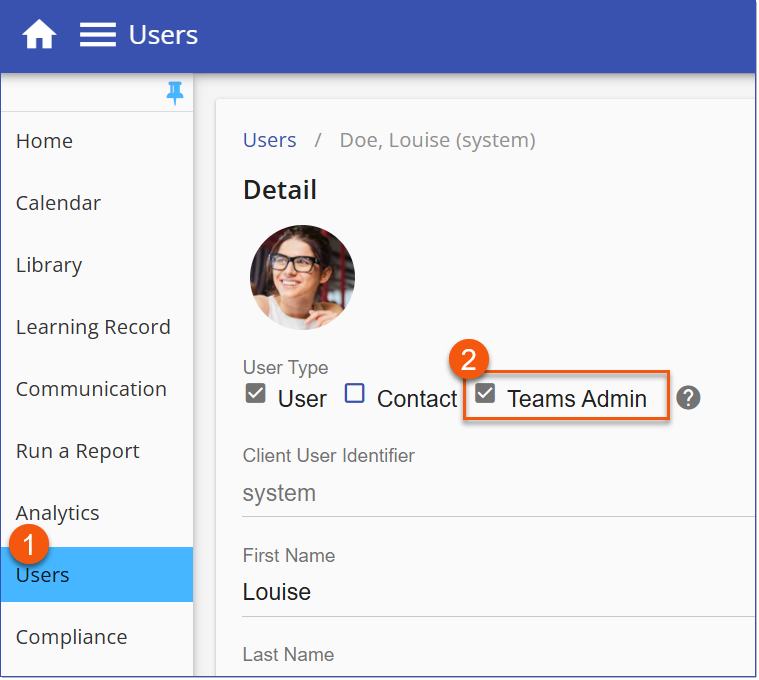
Teams Admin Role