Clients who have upgraded to LMS v4 can now configure and manage their Single Sign-On credentials directly within the SSO Provider tab (Azure, Okta, or ADFS) of the Setup Authentication tool. For clients still on LMS v3, SSO details are provided to Intellek and the configuration is handled on your behalf.
1.Navigate to Settings > and select Setup Authentication.
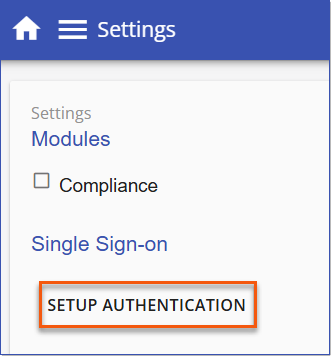
Setup Authentication
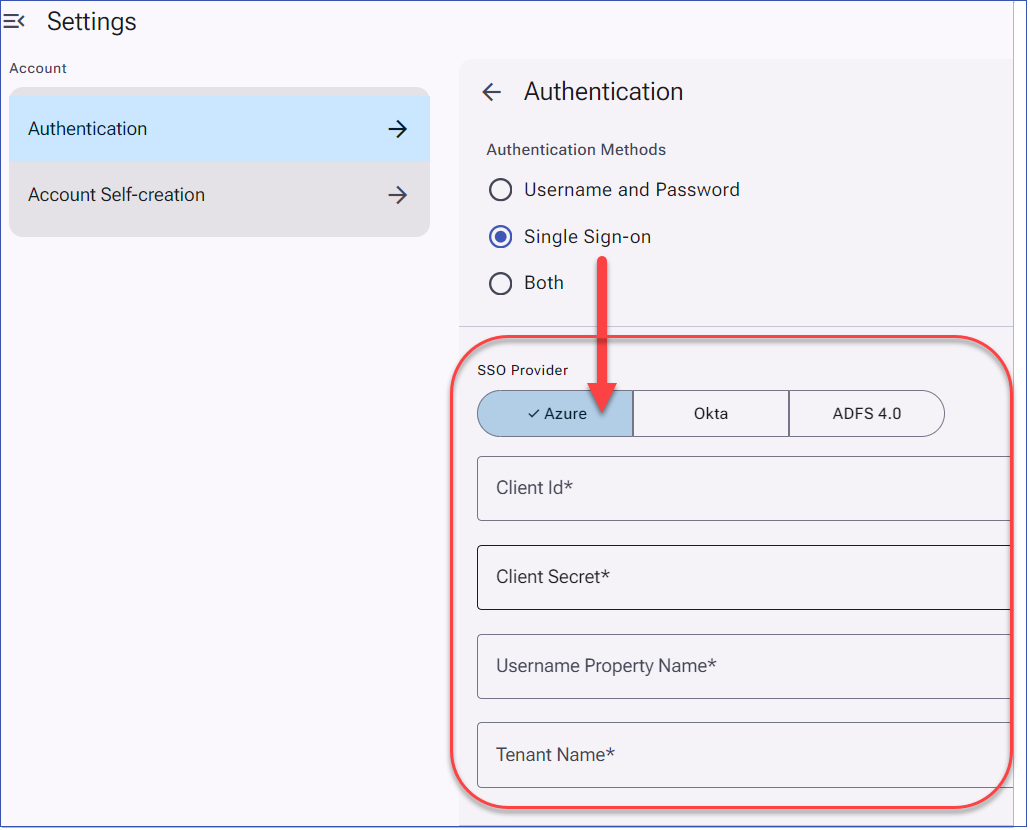
2.Click Authentication to expand the menu.
3.Select Single Sign-on and complete the desired SSO Provider details.
oFor Azure (Entra ID) SSO Provider enter the details as follows:
•Client ID: Enter Application (client) ID
•Client Secret: Enter Client Secret Value
•Username Property Name: enter the user property for log in (for Entra ID this is usually "UPN" or "unique_name")
•Tenant Name: Directory (tenant) ID
4.Click Save, then use the left navigation menu to return to the Home page or any other page to exit Settings.
Important! SSO Callback URL All clients who have updated to LMS v4 and using SSO will need to add a new LMS v4 callback URL to their SSO application prior to the LMS v4 upgrade. See details for LMS v4 SSO Callback Configuration . |