Attendance, transcripts and recordings are available via the teams chat for organizers (Event Contacts) after the meeting ends but are subject to your organization's retention policies. We do not store this data, the organizer and the firm is responsible for this information. We do not store the recordings (see Teams Integration Technical Requirements). |
Intellek does not store this data. The organizer and the firm are responsible for this information. The information may be subject to a firm's retention policy. |
Teams meeting settings are controlled by the organizer (Event Contact) or co-organizer (Event Contact) when the meeting starts. Recommendation: The organizer/ co-organizer join the meeting 5 minutes early to access the Controls within the meeting, i.e. lobby settings, who can present, etc. We will be implementing full meeting controls prior to the meeting in the future. |
LMS v4 will be fully web responsive and automatically adapt to the device it is accessed on. LMS v4 Phase 1 web pages are web responsive (includes SSO Settings and Login pages) and as Phases are introduced, the web responsiveness will continue to be implemented. The example below illustrates how LMS v4 Phase 2 (Dashboard) will appear on mobile, tablet and desktop devices. Because of LMS v4's responsive design, a separate mobile app will not be developed.
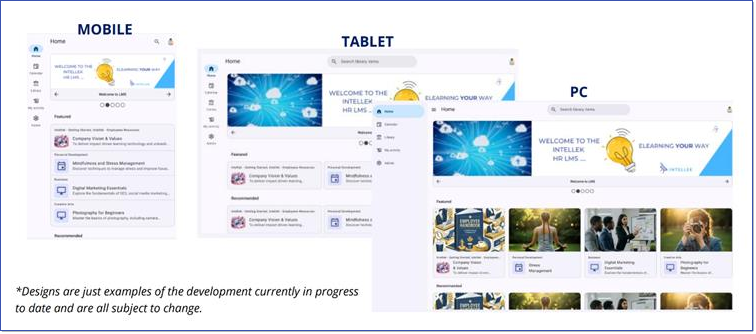 LMS v4 Web Reponsive Dashboard (Phase 2) |
Users will be presented with a Single Sign-on (SSO) button when they first sign in to the LMS. After two hours of inactivity, Users will be redirected to the LMS login page to re-authenticate.
|

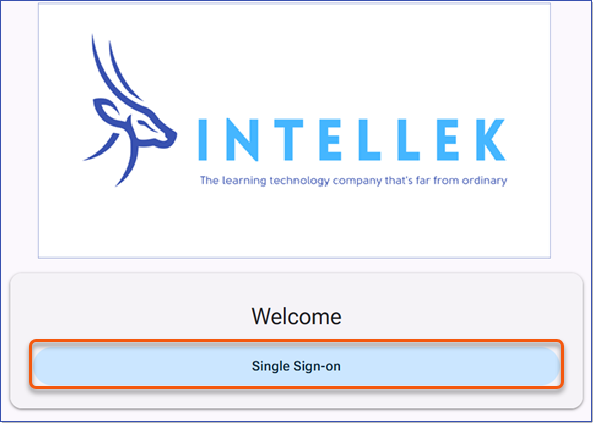
If you send a link to content via email and the User has not engaged with the LMS, they will be prompted to click Single Sign-on, which takes just a moment to authenticate. |
|