The LMS includes enhanced support for SCORM 2004 (3rd and 4th Edition), enabling administrators to import SCORM 2004 packages and access detailed reports on learner interactions. Importing content is the same as for SCORM 1.2.
When a SCORM package is uploaded, the LMS automatically detects the SCORM version to ensure proper handling and tracking.
Analytics for SCORM 2004 Interactions
Administrators can use the Analytics feature to generate reports on User responses to SCORM 2004 content. To access this:
1.Navigate to the Analytics dashboard and select Courses from the three-dot menu.
2.On the Courses dashboard, use the SCORM Interactions Courses drop-down. This list shows courses that Users have completed (Finished/Passed/Failed) and that contain SCORM interaction data. When the dashboard first loads, the drop-down displays all courses completed within the default 7-day period that meet these criteria.
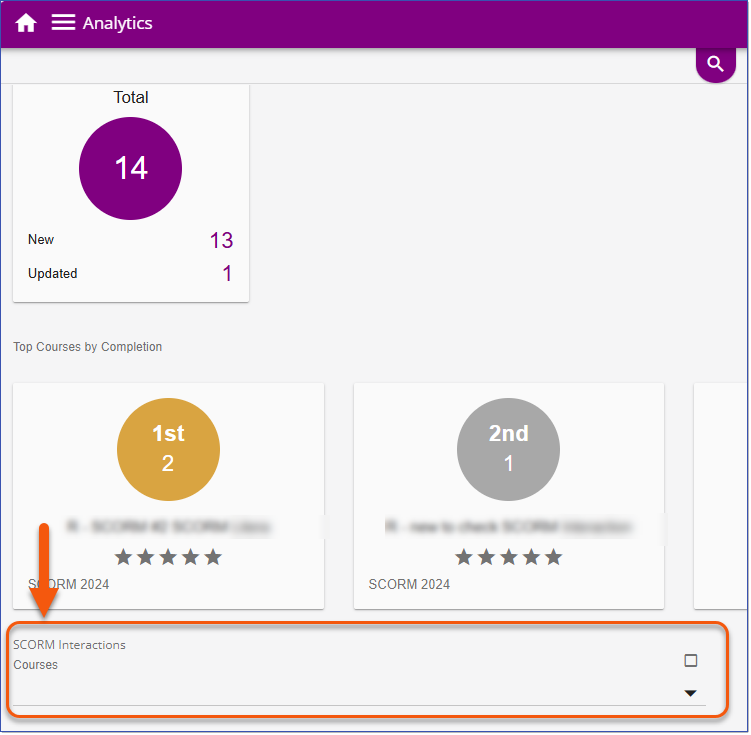
Analytics Course Dashboard - SCORM Interactions
3.Select one or more courses from the list.
4.The LMS will generate a card for each selected Course, showing the number of Users who have Passed and Failed.
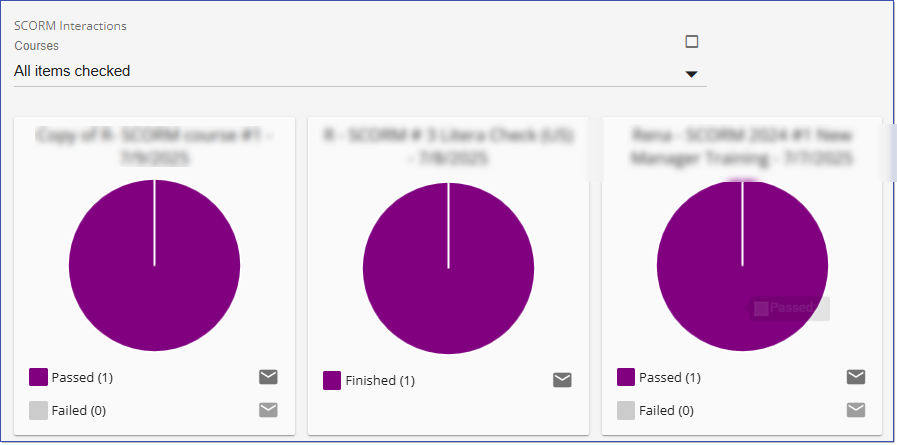
5.To communicate with these Users, use the Send Email icon.
6.To export the interaction data, click the download  button. The data will be saved as a .csv file named SCORM_Interactions_[date]_[time].csv.
7.Use Excel to conduct an analysis of the interaction results as needed.
Important! These analytics only include SCORM 2004 courses that send interaction data (cmi.interactions) to the LMS. If you believe a course should be reporting interaction data, please contact the course creator or vendor for support. |
Advanced Search Filtering
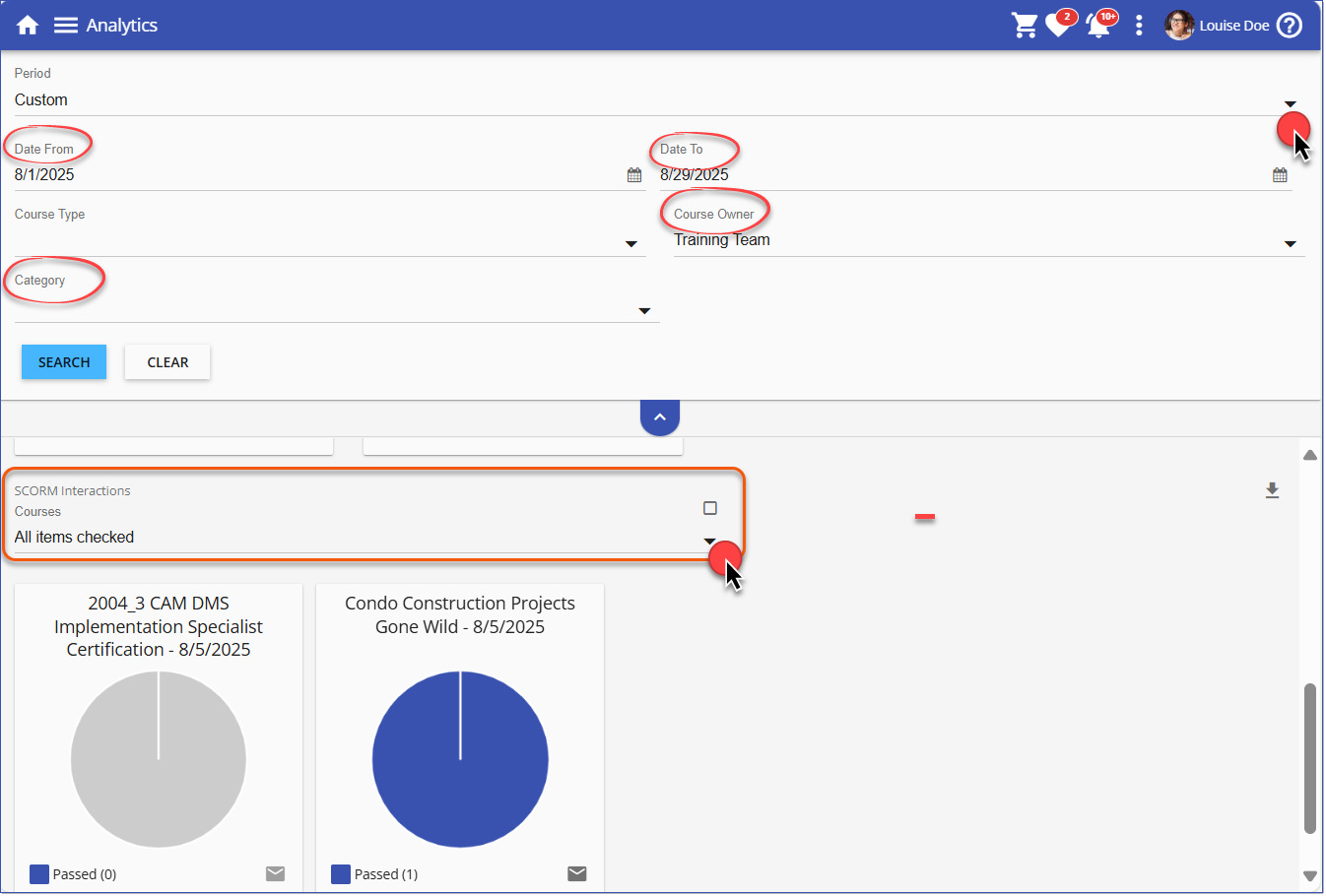
Administrators can use the Advanced Search filters to narrow the list of courses in the SCORM Interactions Courses drop-down. These filters allow targeting by specific time frames, course Owners, or content Categories.
To use the filters:
1.Select the Advanced Search button on the Analytics > Courses dashboard.

Advanced Search Button
2.Use the options on the Advanced Search as follows:
•Custom Period: User the Date From and Date To fields to view Course analytics for a specific time frame.
•Course Owner: Filter the list to show courses owned by selected Owners.
•Category: Display courses that belong to specific content Categories.
 Note: The Course Type filter does not impact the courses displayed in the SCORM Interactions drop-down.
|
